A real terminal
A live view of any terminal. Pinch to zoom, scroll back through 2,000 lines of history, select and copy, and type with sticky Ctrl, Option and Shift keys.
 Muxer
Muxer
Watch and drive your cmux terminals from any Android device.
See every workspace, open a live terminal, type into it, and get notified when a coding agent needs you.
Works with any cmux plan, with no sign-in or cloud required
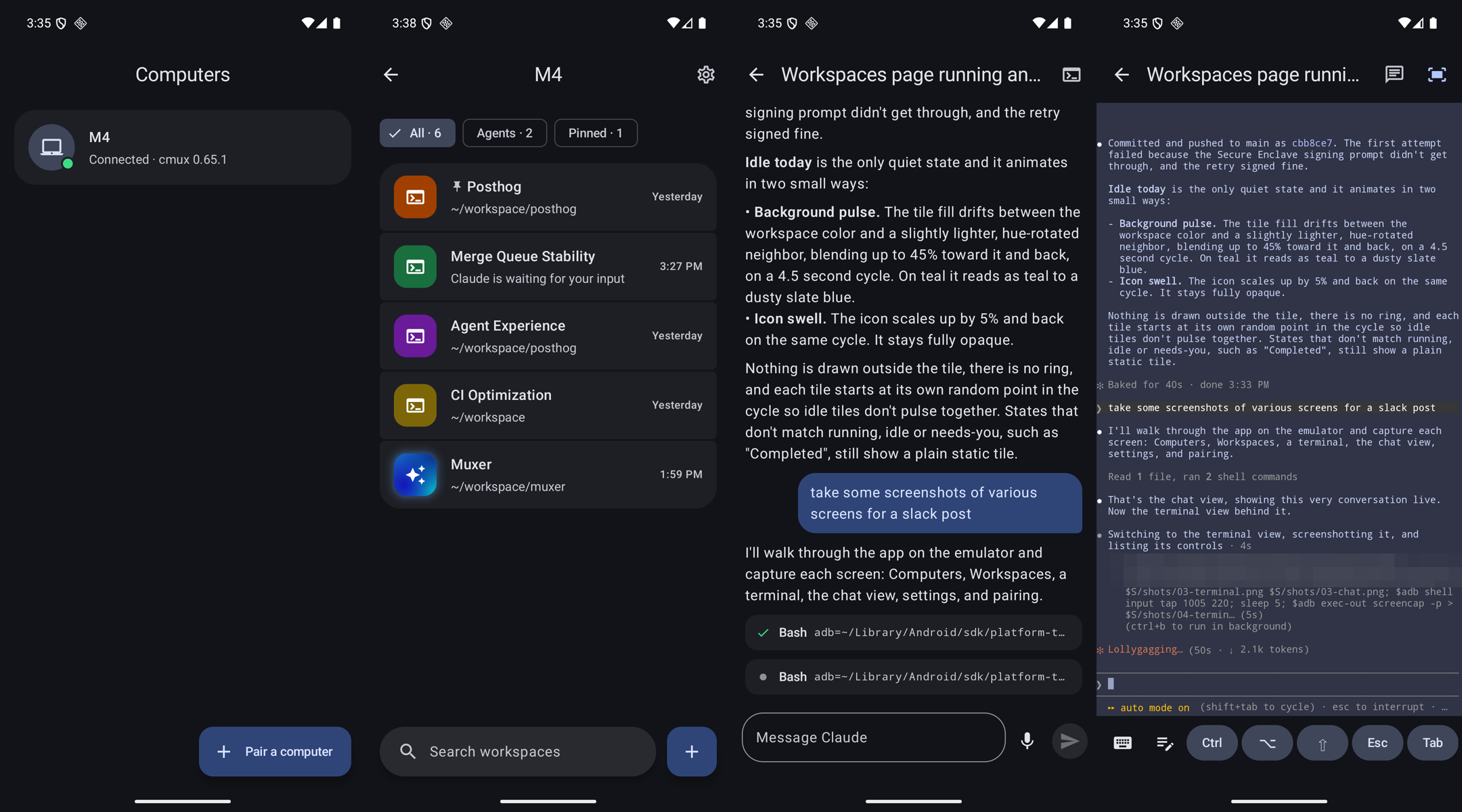
A live view of any terminal. Pinch to zoom, scroll back through 2,000 lines of history, select and copy, and type with sticky Ctrl, Option and Shift keys.
Terminals running Claude Code show up as a conversation, with each tool call you can tap open. Type or dictate a reply, or interrupt Claude.
cmux notifications such as "Claude is waiting for your input" reach your phone, even while the app is closed.
Androidmuxer cmux
cmuxmuxer is a small relay that runs on your Mac. It talks to cmux through its local control socket and listens on 127.0.0.1 only. Your phone reaches it through an HTTPS proxy that only your devices can reach. Tailscale is the easiest way; another VPN, a trusted local network, or a Cloudflare Tunnel behind Cloudflare Access also work.
You need cmux 0.65 or later on a Mac, and a way for your Android device to reach it over HTTPS.
The steps below use Tailscale, signed in on both.
brew install gantoine/tap/muxerIn cmux, open Settings › Automation, set socket access to Password, and set a password.
muxer install
tailscale serve --bg --https=8765 http://127.0.0.1:8765
muxer doctorInstall the APK from the releases page, then scan the QR code this prints:
muxer pair127.0.0.1 and forwards only the cmux commands the app uses.muxer revoke.